
Property Manager
The Property Manager section allows you to manage various property sets and groups within the platform. Properties define specific characteristics of your products, members, transactions, and stores. This section provides a clear interface for viewing, organizing, and configuring properties across different groups, and it allows you to create new properties with customizable attributes.
Property Overview
You can manage two types of property sets:
Mandatory: Properties that must be defined for proper system operation.
Optional: Additional properties that can be configured to enhance system functionality.
Available Property Groups
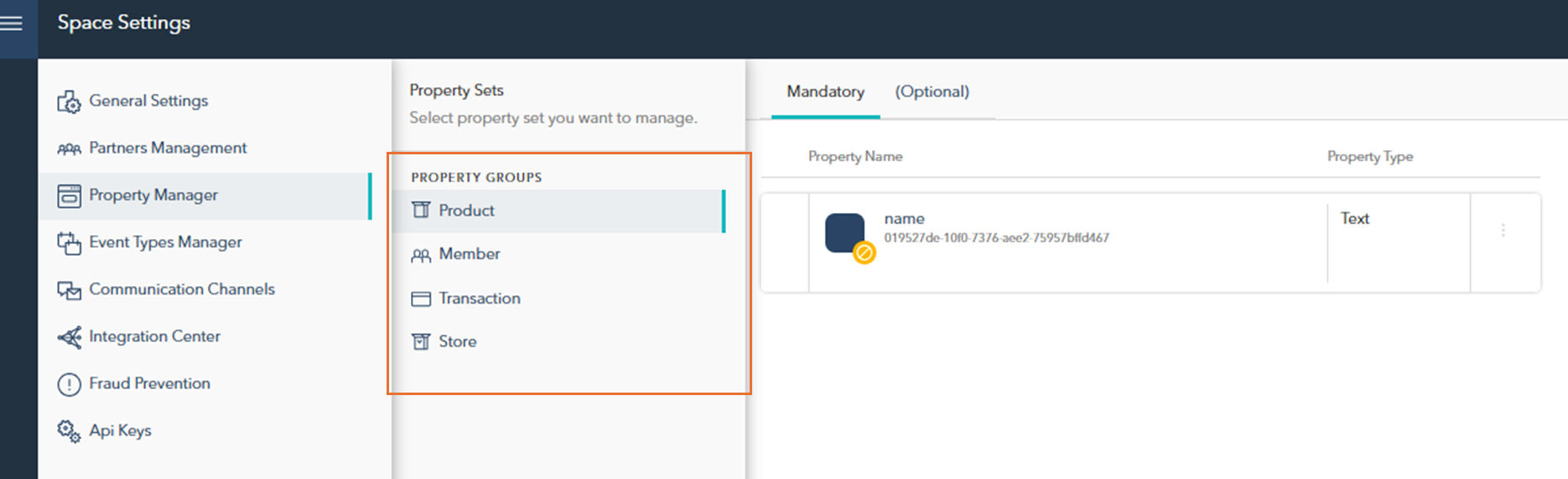
On the left side of the interface, you will find the Property Groups section, which categorizes different types of properties:
Product: Properties related to product-specific information.
Member: Properties that store details about members.
Transaction: Properties associated with transaction data.
Store: Properties that relate to store-specific details.
Managing Properties
In the main panel, you can view and manage the properties within each group. To edit a property, simply click on the property name in the list. This will open the editing interface, where you can adjust settings according to the property type and group.

Each property group (e.g., Product, Member, Transaction, Store) offers specific fields and customization options based on its function within the system.
New Property
To create a new property:
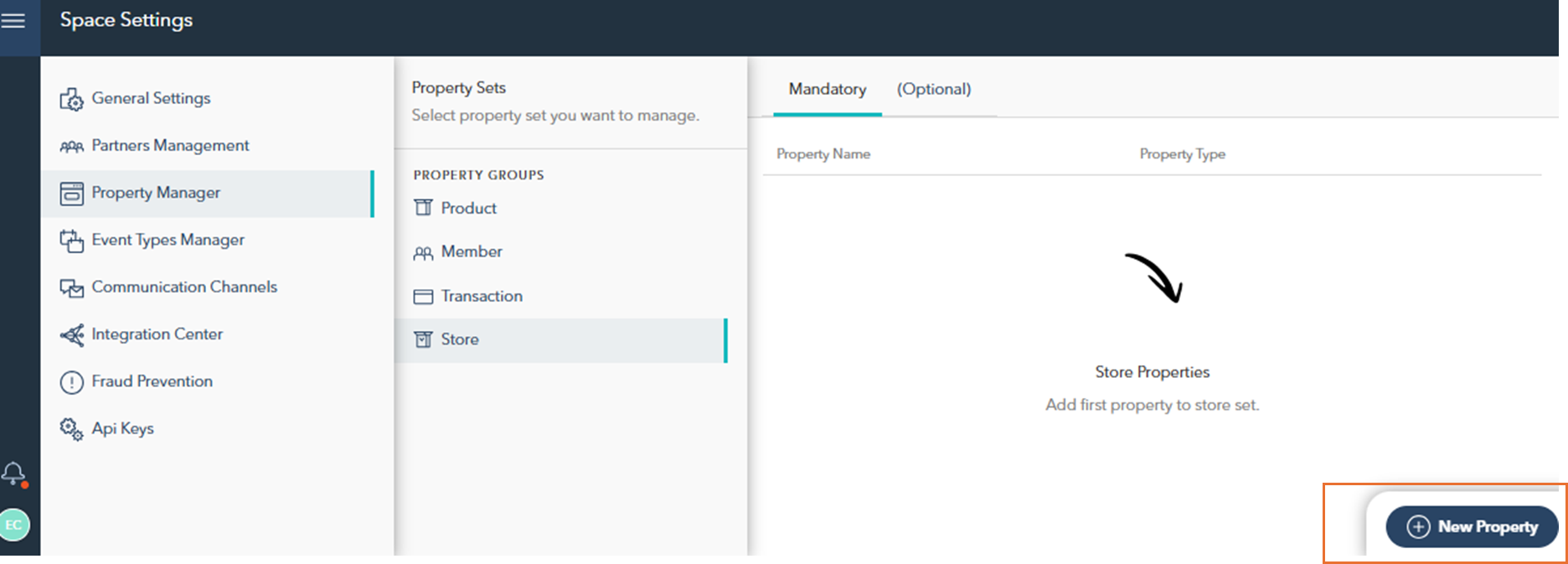
Select the appropriate Property Group from the list on the left.
Click on the New Property button in the lower-right corner.
More detailed instructions on how to create and define a new property can be found in the next section: Create a New Property.