Partner Management
The Partners Management section allows you to manage and configure various partners associated with your loyalty programs. This section displays a list of all partners with their basic information, such as the partner name, partner type, and associated loyalty programs.
Overview of Partners
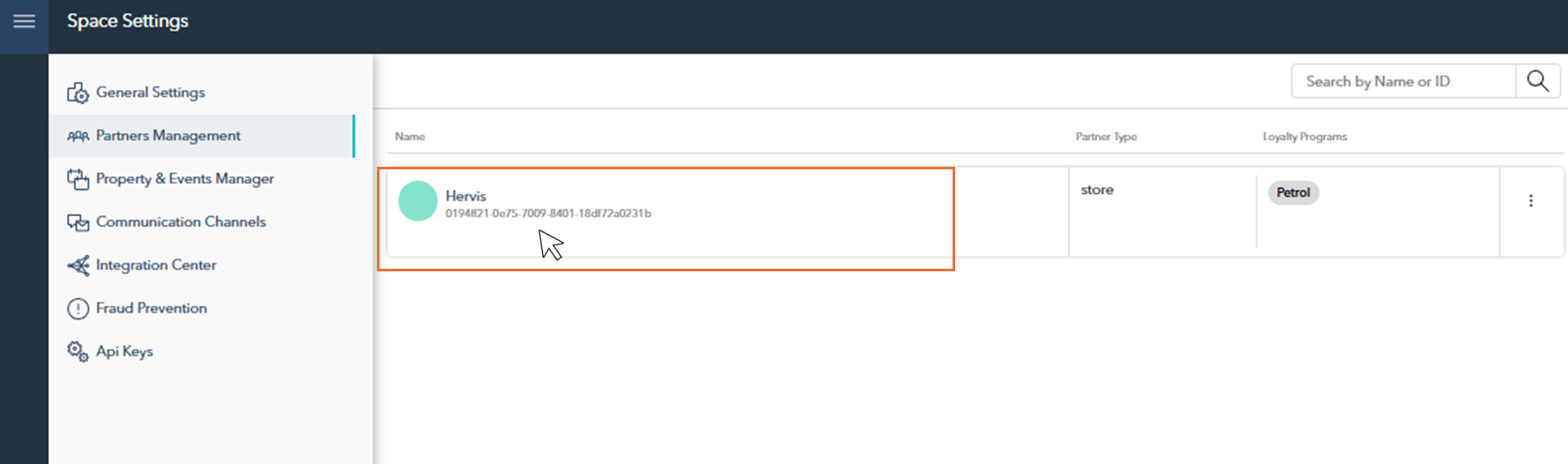
On the main page of the Partners Management section, you can view a list of all the partners associated with your loyalty programs. Each partner’s name and type (e.g., store) are displayed.
You can search for partners by name or ID using the search bar at the top right.
Partner Settings & Management
After selecting a partner from the list on the Partners Management main page, you'll be presented with multiple tabs, each offering options to configure different aspects of the partner's settings. These include general partner details, loyalty point management, permissions, and data access settings.
The following sections provide a detailed breakdown of each tab and its configuration options.

When filling in the fields or editing partner settings, make sure to save your entries before leaving the tab by clicking the save icon in the top-right corner.

Required fields are marked in red, and any tab with incomplete required fields will also be highlighted in red to indicate missing information.
Partner Details
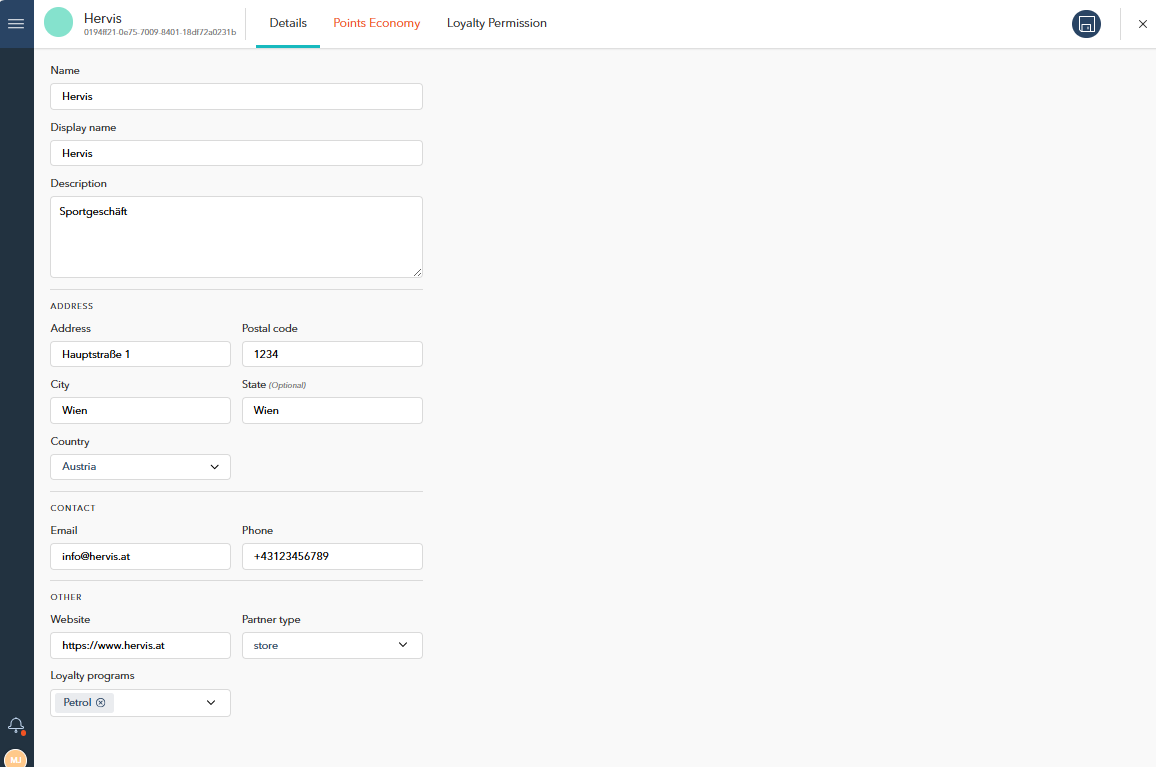
In the Details tab, you can manage general information about the partner, including:
Name: Enter the name of the partner.
Display Name: Specify how the partner’s name will appear in the platform.
Description: Provide a brief description of the partner.
Address: Fill in the address details, including street, city, postal code. Select the country from the dropdown menu.
Contact Information: Add the partner’s email, phone number, and website for communication purposes.
Partner Type: Select the appropriate category for the partner (e.g., store).
Points Economy
In the Points Economy tab, you can manage how loyalty points are handled for the selected partner. You can enable or disable the points economy using the toggle, and if enabled, further configuration options will appear.
Enable Points Economy: Toggle this option to activate point management for the partner.
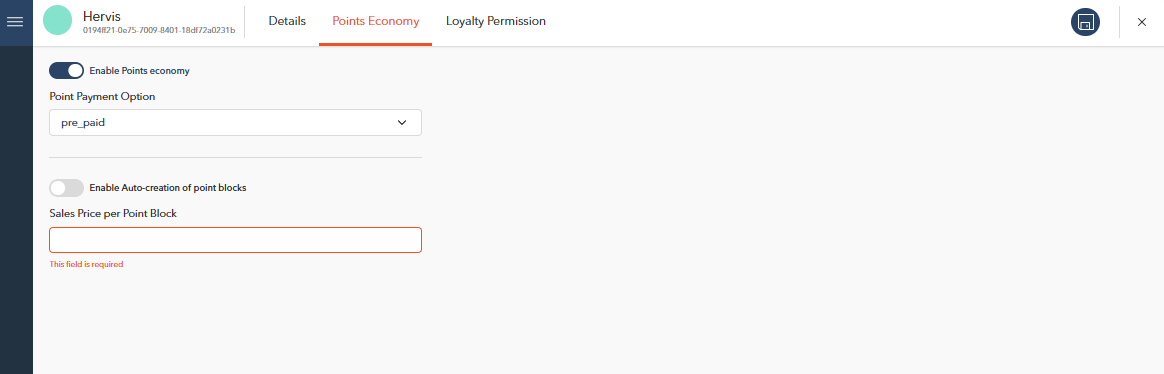
Once the Points Economy is enabled, you will be prompted to select a Point Payment Option:
Point Payment Option: Choose between two options:
Pre-paid: Enables additional configuration for point management, such as:
Auto-Creation of Point Blocks: Toggle this option to automatically create point blocks.
Sales Price per Point Block: Define the sales price for each point block.
Post-paid: No additional settings are required for this option.
Loyalty Permission
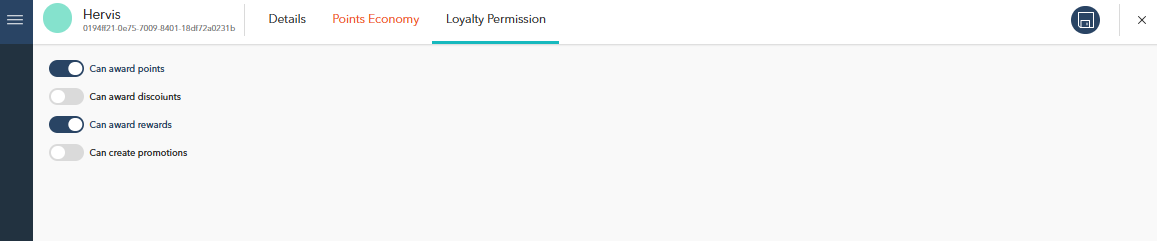
In the Loyalty Permission tab, you can define what actions the partner is allowed to perform within the loyalty program. Use the toggles to enable or disable each permission.
Can Award Points: Allow the partner to award points to customers.
Can Award Discounts: Enable the partner to apply discounts as part of loyalty promotions.
Can Award Rewards: Permit the partner to give out loyalty rewards.
Can Create Promotions: Grant the partner the ability to create new promotions within the loyalty program.
Each permission is customizable based on the specific role and function of the partner within the loyalty ecosystem. Ensure that you configure permissions according to the partner’s responsibilities.