General Settings & Organization Details
The General Settings and Organization Details sections allow you to configure key aspects of your tenant and provide essential details about your organization. These settings ensure that your loyalty programs are aligned with your organizational structure and preferences.
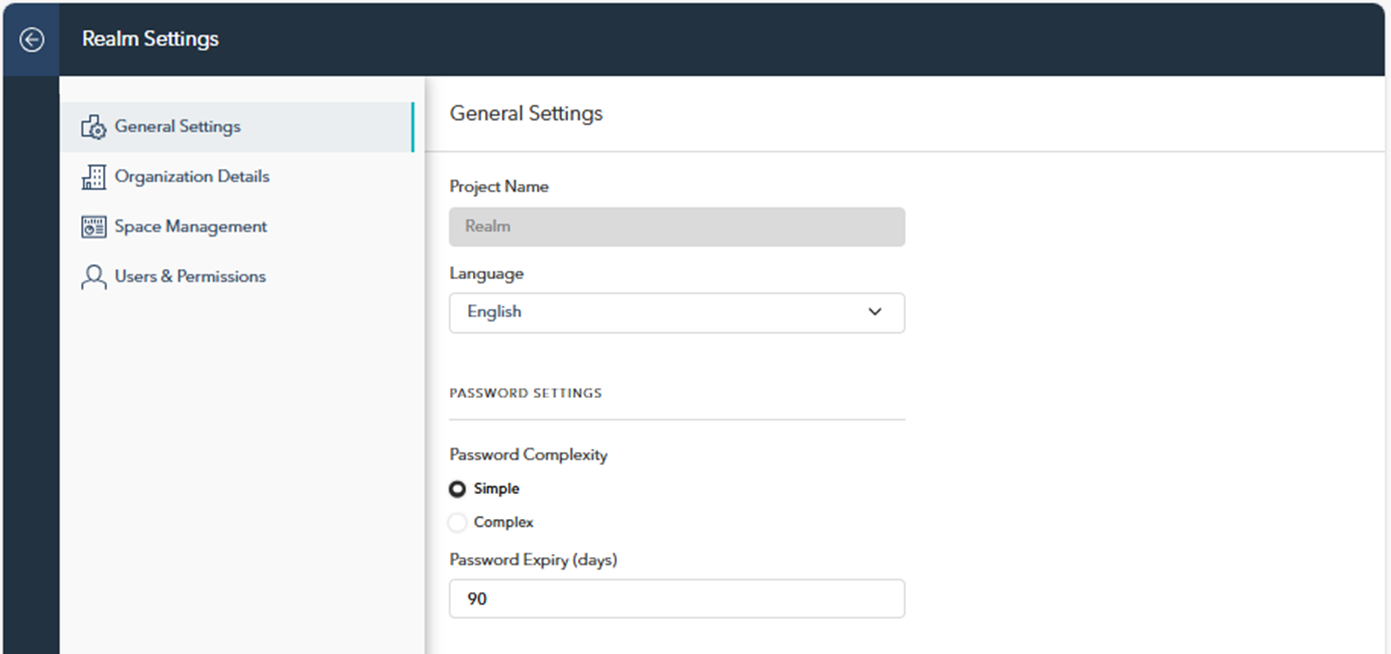
General Settings
Tenant Name: Defines the name of the tenat, which serves as the overarching identifier for all loyalty spaces managed within this realm. It is set during the initial setup and can only be changed through administrative processes.
Language: Select the default language for the loyalty program's interface to align with the organization’s operational language.
Password Settings:
Password Complexity: Set the desired password complexity for user accounts. Choose between “Simple” for fewer restrictions or “Complex” for stronger security protocols.
Password Expiry: Specify the number of days before users are prompted to change their password, ensuring regular updates for enhanced security.
Organization Details
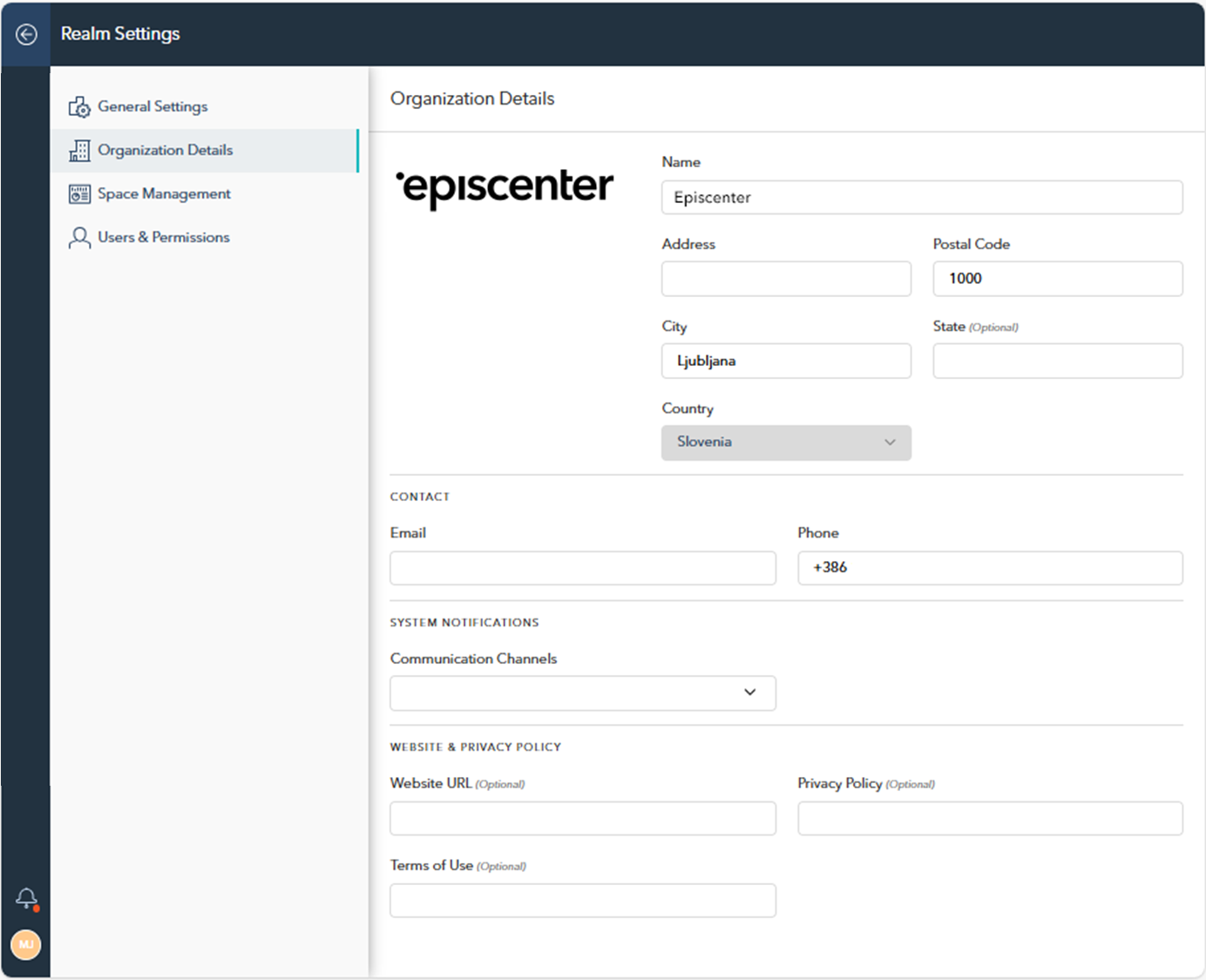
This section manages key information about your organization, including its name, address, contact details, and logo, which is displayed here.
Name and Address: Enter the name and address of your organization.
Contact Information:
Email and Phone: Provide the main contact email and phone number for communications.
System Notifications:
E-Mail Communication Channel: Select the email domain/provider for sending system notifications, ensuring they are delivered via the chosen communication service.
Website & Privacy Policy (Optional): You can alsoadd links to your organization's website and legal policies.