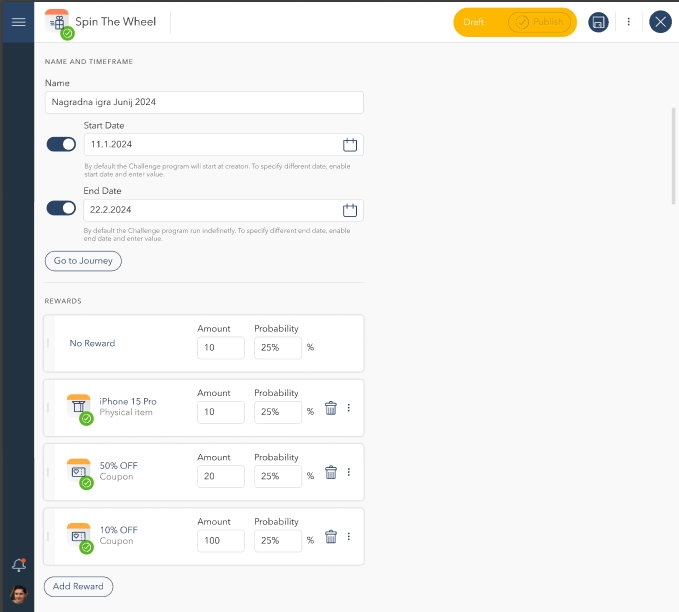
Create a new gamification event based on challenge type
1. Referral Challenges
Referral challenges encourage users to invite friends in exchange for rewards.
Creating a Referral Challenge:
Click Add Challenge and select Referral.
Enter a Challenge Name.
Set the Start and End Date (optional; default runs indefinitely).
Configure Referral Settings:
Maximum number of invites per participant.
Expiration period for invitations.
Define Point Logic:
Points awarded for successful referrals.
Points awarded for referred users' first purchase.
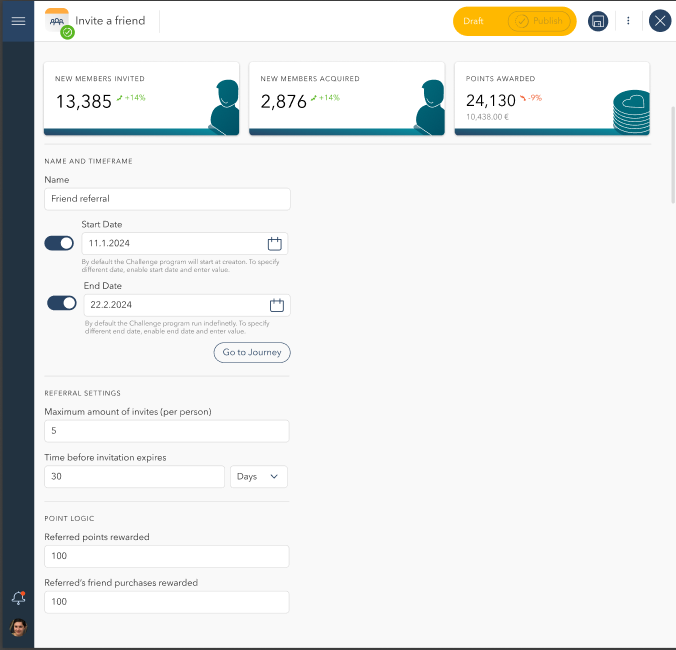
Gamification 1.3
2. Sweepstakes Challenges
Sweepstakes challenges allow users to enter for a chance to win prizes.
Creating a Sweepstakes Challenge:
Click Add Challenge and select Sweepstakes.
Enter a Challenge Name.
Set the Start and End Date.
Configure Rewards:
Add multiple reward items (e.g., gift cards, physical prizes, discount coupons).
Define available quantities.
Track Participants & Winners:
Access participant lists and reward status.
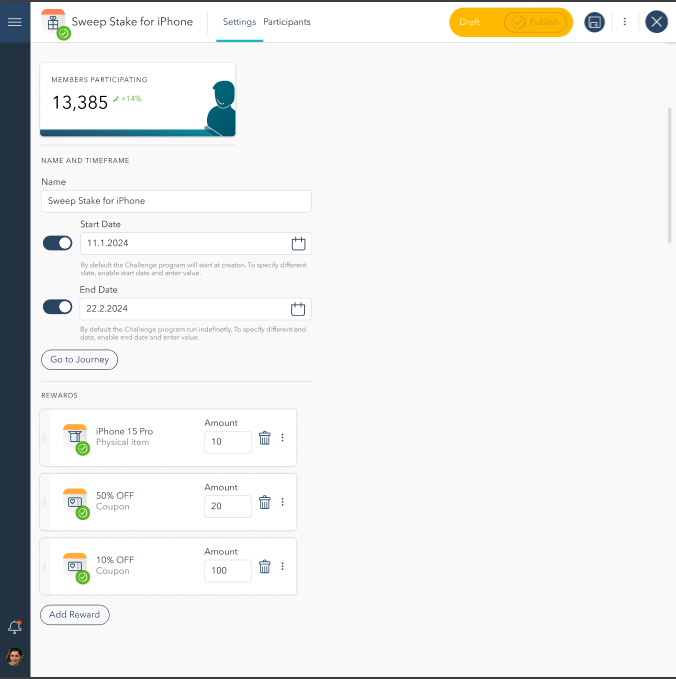
Gamification 1.4
3. Wheel of Fortune Challenges
This challenge type enables users to spin a virtual wheel for a chance to win different prizes.
Creating a Wheel of Fortune Challenge:
Click Add Challenge and select Wheel of Fortune.
Enter a Challenge Name.
Set the Start and End Date.
Configure Reward Distribution:
Define reward items and their respective probabilities.
Set quantity limits per reward.